.png)

You sent the quote on Tuesday. It's Friday, and you're still chasing an approval. Someone on your team is re-keying line items into an invoice that may not match what the customer signed. Every deal bleeds days this way. The cash that should be in your account is sitting in an email thread.
Quote-to-cash software closes that gap. It connects quoting, approvals, invoicing, and payment collection into one workflow instead of four. But the right tool isn't the same for every business. Three factors make the biggest difference:
- Whether you price on a one-time, subscription, or usage basis
- Whether your transactions cross borders
- How lean your team actually is
Get those three right, and you can eliminate days of manual work between a signed quote and collected cash.
Main Takeaways
- Quote-to-cash software spans the full cycle from product configuration to cash application. It's wider in scope than order-to-cash tools alone.
- Pricing model, cross-border complexity, and team size are the three variables that determine which platform actually fits your operation.
- Invoice exceptions average 14% on the buyer side. A mismatched SKU or missing PO number can push your payment out by weeks.
- Entry-level Q2C tools start with free plans and paid tiers from around $37/month. Lean teams don't need an enterprise contract to automate quoting and invoicing.
- Cross-border transactions require multi-currency invoicing, FX-rate visibility, local payment rails, and automatic reconciliation to avoid manual spreadsheet work.
See Every Stage of the Q2C Lifecycle
Most guides stop at the quote. This one maps the full cycle from configuration to cash application, including where buyer-side delays actually add days to your deals.
Read the Q2C Lifecycle Guide
What the Quote-to-Cash Process Looks Like Step by Step
The quote-to-cash process spans every step from the moment you configure a price to the moment cash lands in your account. Six stages make up the full cycle. Each one involves both your team and your buyer's.
Seller Side: Configure Through Invoice
Your side of the quote-to-cash process moves through six stages in sequence:
- Configure and price. You set product rules, discount tiers, and pricing logic inside Configure, Price, Quote (CPQ) software or a catalog module.
- Quote. You generate a document your buyer can evaluate and approve.
- Negotiate and approve. Internal stakeholders sign off. The buyer requests changes that you review.
- Contract and order. Agreed terms become a binding order, managed by a contract or order management layer.
- Invoice. A billing engine generates the payment request from the contract data.
- Payment and cash application. You collect the funds. Your system matches the receipt to the original invoice.
Each stage has a natural owner inside your tech stack. But the handoff between stages is where most teams lose time and accuracy.
Buyer Side: Where Your Customer Slows You Down
Your buyer's approval cycle and payment timing set your actual days sales outstanding (DSO). Stages three through six run in parallel on their side, with steps you can't control.
While you're waiting on a signed quote, your buyer is routing it through internal review. While you're generating an invoice, their procurement team is issuing a purchase order (PO). While you're expecting payment, their accounts payable (AP) department is matching your invoice against that PO and flagging anything that doesn't align.
Each of those buyer-side steps is a potential hold. Invoice exception rates still average 14% on the buyer side, according to Ardent Partners. A mismatched SKU, a missing PO number, or a wrong unit price triggers a hold. That pushes your DSO out by weeks.
Q2C software carries quote and contract data straight into the invoice. The buyer's AP team receives exactly what their procurement team approved, so exceptions drop at the source.
The bottom line? Looking only at your internal workflow misses half the equation. Your buyer's approval queue and payment release schedule set the real timeline for when cash arrives. Software that gives your buyers a clean, self-service way to review, approve, and pay helps reduce delays on both sides of the transaction.
Q2C vs. CPQ vs. Order-to-Cash: Where Each One Starts and Stops

CPQ software handles one piece of the cycle: product configuration, pricing rules, and quote generation. Order-to-cash software (O2C) picks up later, starting at order entry and running through fulfillment, invoicing, and collections. Quote-to-cash is the widest scope of the three. It begins at configuration and ends at cash application.
The table below compares where each option starts and stops.
Category | Starts At | Ends At | What It Covers
Configure, Price, Quote (CPQ) | Product configuration | Quote generation | Pricing rules, product bundles, quote documents
Order-to-Cash (O2C) | Order entry | Cash application | Fulfillment, invoicing, collections, reconciliation
Quote-to-Cash (Q2C) | Product configuration | Cash application | CPQ, contracts, billing, invoicing, payment, reconciliation
If you're evaluating a CPQ tool, you're solving only the front end. You'll still re-key data between the quote and the invoice. Evaluating an O2C tool? You're missing the quoting and approval stages entirely. Q2C is the only one of the three that covers both.
Many platforms market themselves as "quote-to-cash" but only deliver CPQ or billing. Knowing the scope difference before you shop prevents you from buying a tool that leaves a gap between your quote and your invoice. That gap is exactly where manual re-keying and approval delays live.
5 Quote-to-Cash Challenges That Cost Lean Teams Real Money
Five recurring breakpoints explain why lean ops and finance teams lose days per deal:
- Manual quoting
- Fragmented data
- Approval bottlenecks
- Invoicing errors
- Payment delays
Every quote built in a spreadsheet and emailed as a PDF risks a pricing error, a wrong quantity, or a stale discount reaching your buyer. That's challenge one: manual quotes eat hours and introduce mistakes. Challenge two compounds it.
Your quote lives in one system, the contract in another, the invoice in a third. No single source of truth exists. Every handoff requires someone to re-key data and hope it matches. Challenge three adds delay on top. Internal sign-offs stall in inboxes for days. Buyer-side procurement approvals add another queue you can't see into.
Challenges four and five carry the cost you can measure. Invoicing errors like mismatched line items, missing PO references, or wrong currencies trigger buyer-side exceptions. Those push payment out by weeks. Payment delays compound the damage. Roughly four in five small firms report payments-related challenges, as per the Federal Reserve Banks SBCS.
Each breakpoint compounds the next. A pricing error in the quote flows into a contract mismatch, an invoice exception, and a payment delay. According to The Hackett Group, top-performing accounts receivable (AR) teams collect payment an average of 18 days faster than median performers. Across organizations, that gap represents roughly $600 billion in excess working capital tied up in receivables.
For a lean team generating $2 million to $10 million in annual revenue, recovering even a few of those DSO days can free up tens of thousands of dollars in working capital each quarter. That's cash that might otherwise stay tied up in approval queues and invoice exceptions.
Compare 8 Quote-to-Cash Software Platforms for 2026
Eight platforms span the Q2C spectrum from enterprise suites to lean-team tools. The comparison table below maps each one by starting price, best-fit company size, pricing-model support, key strength, and cross-border capability. You can shortlist in minutes.
Q2C Software Comparison Table
"Billing models supported" shows whether the tool handles one-time, subscription, usage-based, or hybrid billing. "Cross-border support" covers multi-currency invoicing and international payment rails.
Platform | Starting Price | Best-Fit Size | Billing Models Supported | Key Strength | Cross-Border Support
Quotable AI | Free plan available; paid from $49/month (Starter), $37/month billed yearly | SMB to mid-market | One-time, project-based, recurring | Quote-to-payment workflow with AI document parsing for cross-border B2B trade | Pay out in 140+ currencies across 200+ countries; hold and receive in 35
Salesforce Revenue Cloud | $150/user/month (Revenue Cloud Growth), billed annually | Enterprise | Subscription, usage-based, one-time, hybrid | Full CPQ-to-billing suite inside the Salesforce ecosystem | Multi-currency invoicing; relies on partner payment rails
Zuora | Contact sales | Mid-market to enterprise | Subscription, usage-based, hybrid | Purpose-built subscription and usage billing engine | Multi-currency billing; 40 payment gateways and 180 currencies
DealHub AI | Contact sales | Mid-market to enterprise | One-time, subscription, usage-based, hybrid | CPQ with guided selling and contract lifecycle management | Multi-currency quoting and billing; limited payment collection
PandaDoc | $49/seat/month (Business), billed annually; full Q2C requires custom enterprise pricing | SMB to mid-market | One-time, recurring payments | Document-first quoting with e-signatures and payment links | Multi-currency documents; payment collection via Stripe and other supported gateways
Maxio | Contact sales | B2B SaaS mid-market | Subscription, usage-based, event-driven, hybrid | SaaS-specific billing with ASC 606 revenue recognition | Multi-currency invoicing; limited international payment rails
Chargebee | Free (limited); paid from $7,188/year billed annually (Performance) | SMB to mid-market | Subscription, usage-based, hybrid | Flexible recurring billing with dunning and retention tools | 120+ billing currencies and 35+ payment-gateway integrations
HubSpot Revenue Hub | Free (limited); full Q2C from $85/user/month (Professional) | SMB | One-time, subscription | Native CRM-to-payment connection inside HubSpot | Payment collection in 130+ currencies through HubSpot Payments or Stripe
Platform Profiles
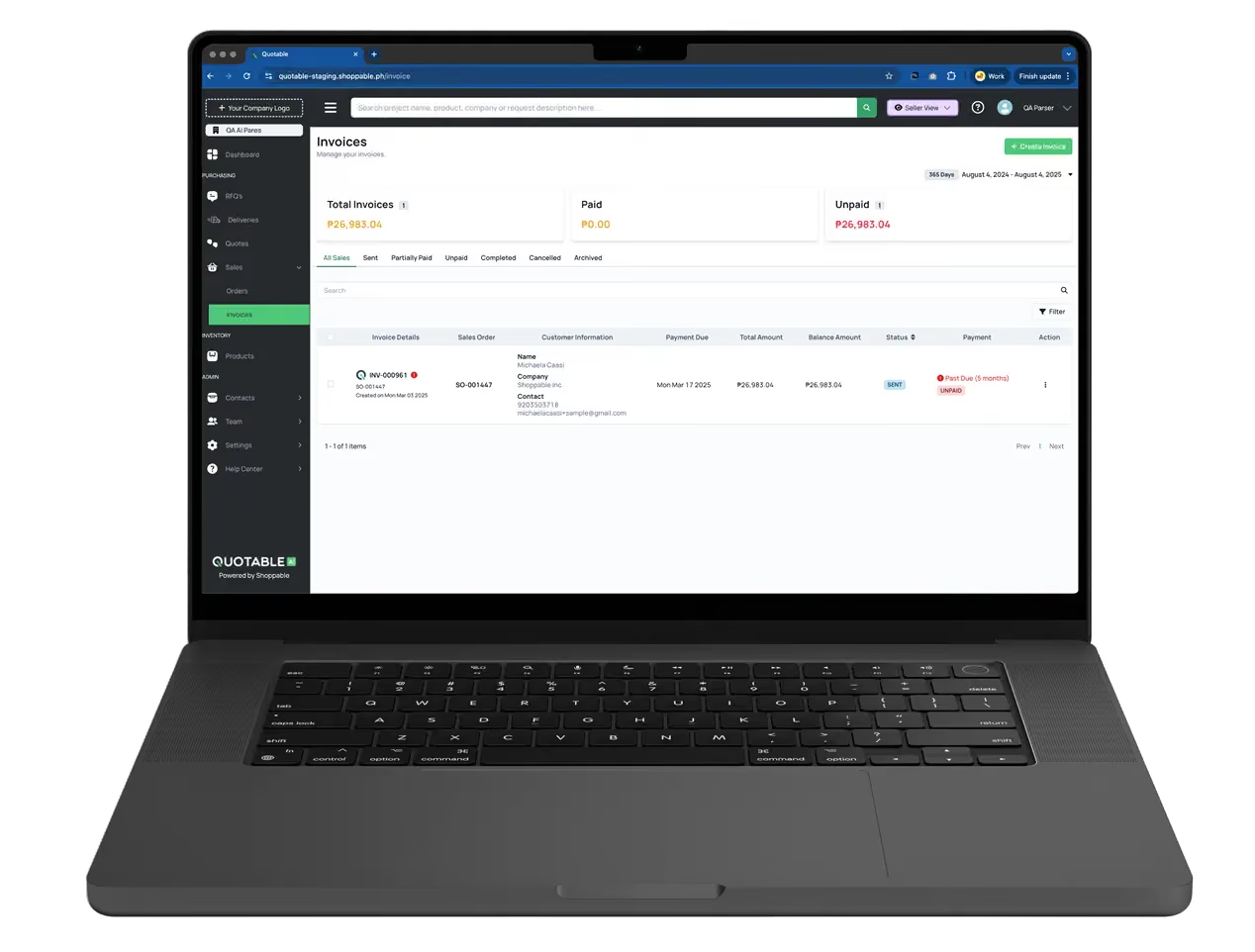
Quotable AI connects quoting, procurement, and payment collection into one workflow for lean cross-border teams. AI document parsing turns messy PDFs, emails, and spreadsheets into structured quotes, and the platform pays out in 140+ currencies across 200+ countries while holding and receiving in 35.
Salesforce Revenue Cloud fits enterprise teams already running Salesforce CRM. It delivers the deepest CPQ-to-billing integration inside that ecosystem. But to access the complete Q2C platform for every revenue model, you'll need to upgrade to the $200/user/month Advanced plan.
Zuora is purpose-built for subscription and usage-based billing at scale. It offers strong metering and revenue recognition. If you sell one-time products or project-based services, most of its power goes unused.
DealHub AI pairs CPQ with guided selling and contract lifecycle management. It fits mid-market teams with complex deal structures. Payment collection is thinner than its quoting and contracting layers.
PandaDoc leads with document creation, e-signatures, and embedded payment links. SMBs that need quoting and basic invoicing without billing complexity get a fast start here.
Maxio targets B2B SaaS companies specifically. It combines subscription billing with ASC 606 revenue recognition. Teams outside SaaS will find the feature set narrowly scoped.
Chargebee handles recurring billing with flexible pricing models, dunning automation, and retention workflows. It fits subscription-first SMBs and mid-market teams that need billing depth, but the cost may put it out of reach for most lean teams.
HubSpot Revenue Hub works best for SMBs already inside HubSpot's CRM. It offers a native path from deal to invoice to payment. Its Q2C scope is narrower than dedicated platforms, but the zero-friction setup appeals to small teams that want to avoid adding another tool.
Run the Full Workflow Without Replacing Your ERP
If your team is re-keying data between quotes and invoices, the gap is the problem. See how Quotable AI connects RFQs, approvals, and payments in one workflow on top of your existing stack.
Explore the Mid-Market Platform
Which Tool Fits: The Q2C Fit Framework

The Q2C fit framework maps your pricing model, cross-border needs, and team size to the right platform category. It gives you clear if/then decision rules that cut most of the vendor noise before you book a single demo.
Decision Rules by Pricing Model
If you sell one-time products or project-based services, you need quoting, invoicing, and payment collection. You don't need subscription management, dunning, or revenue recognition. Tools like PandaDoc, HubSpot Revenue Hub, or Quotable AI cover this scope without billing complexity you won't use.
If you run subscription billing, you need recurring invoicing, proration, dunning, and revenue recognition. Zuora, Chargebee, or DealHub AI are purpose-built for that model.
Moving toward usage-based or hybrid pricing? Your shortlist needs platforms with native usage metering, like Maxio. After all, usage pricing is now the top revenue model driving growth. According to Salesforce, 76% of sales leaders say it's more important to customers than last year. That shift raises the bar for quoting, billing, and forecasting accuracy.
Decision Rules by Team Size and Stack
If your team is under 10 and you're running spreadsheets or light accounting tools, start simple. Pick a platform that replaces the spreadsheet-to-email workflow first. Think quoting, invoicing, and a payment link. Don't buy an enterprise suite you'll never configure.
If you already have an ERP or CRM, focus on Q2C tools with native integrations to your existing stack. Salesforce Revenue Cloud fits Salesforce shops. Chargebee connects natively to Stripe-based billing. Adding a disconnected tool recreates the disconnect problem you're trying to solve.
If your transactions cross borders, filter for multi-currency invoicing, FX visibility, and international payment rails. Quotable AI shines for multi-currency features. Maxio and DealHub AI are limited. Those capabilities deserve their own evaluation.
What Quote-to-Cash Software Costs, and Small-Business Options

Q2C software pricing runs from free plans and roughly $37/month for lean-team tools to six-figure annual contracts for enterprise suites. You don't need to start at the enterprise end. If you only need quoting and payment collection today, you can start under $100/month. Add billing complexity as your business grows.
Pricing falls into three bands. At the SMB and entry level, $30 to $100 per month gets you tools like PandaDoc, HubSpot Revenue Hub, and Quotable AI, which also offers a free plan. These cover quoting, invoicing, and basic payment collection. Mid-market platforms like Chargebee, Maxio, and DealHub run $200 to $1,000 per month. They add subscription management, revenue recognition, and deeper integrations. Enterprise tools like Salesforce Revenue Cloud and Zuora price on volume and modules, typically through custom contracts.
Lean teams get the fastest return by automating the highest-friction step first. That's usually quoting or invoicing. You don't need a full-suite Q2C platform on day one. Start with the module that eliminates the most re-keying. Get your team comfortable with the workflow, then expand from there.
Cross-Border Q2C: Multi-Currency Invoicing, FX, and Payment Rails
If your transactions cross borders, your Q2C software needs to handle four things most platforms skip:
- Multi-currency invoicing
- Foreign exchange (FX) rate visibility
- Payment-rail options
- Automatic reconciliation back to the original quote
Multi-currency invoicing means generating invoices in the buyer's currency with the FX rate locked or visible at quote time. Neither side should be surprised when the payment arrives. FX-rate visibility matters because these costs averaged 1.6% for MSME B2B cross-border payments in 2024, according to the Financial Stability Board. The margin compounds across every international invoice.
Payment-rail options reduce cost and speed up settlement. Supporting ACH, wire, and local rails instead of falling back to SWIFT keeps fees lower and settlement faster. Nacha reports that B2B payments on the ACH Network grew almost 10% in 2025, reaching close to 8.1 billion payments. That's a clear signal that bank-to-bank rails are becoming the default.
Automatic reconciliation is the fourth requirement. It matches incoming payments in any currency back to the original quote or invoice without manual spreadsheet work. Swift's ISO 20022 migration ended its overlap period in November 2025. Cross-border payments now carry richer remittance data. Q2C platforms that ingest this structured data can auto-match receipts to invoices instead of relying on your team to do it manually.
For importers, exporters, manufacturers, and distributors, these four capabilities aren't optional. If your Q2C tool doesn't cover them, you're reconciling in spreadsheets. That's the problem you set out to solve.
Implementation Timeline and Integration Reality for Lean Teams
Implementation timelines range from a weekend for spreadsheet-based teams adopting a lightweight tool to three to six months for ERP-backed organizations integrating a full Q2C suite. The rollout order matters more than the tool you pick.
What to Automate First
If you're running spreadsheets and email today, start with quoting and invoicing. Get quotes out of email attachments and into a system that converts them to invoices without re-keying. This single change eliminates the highest-friction handoff in your workflow. Timeline: days to weeks.
If you already use accounting software like QuickBooks or Xero, add a Q2C tool that integrates with your accounting layer. Focus on the quote-to-invoice connection first, then layer in payment collection and reporting. Timeline: two to four weeks.
If you have a CRM or ERP, map the data flow from CRM or ERP to Q2C to accounting before you configure anything. The integration is the implementation. Timeline: one to three months for mid-market teams, three to six months for enterprise.
What Can Wait
Revenue recognition, advanced analytics, and usage metering can all be added after your core quote-to-invoice-to-payment loop is working. Don't let a full-suite implementation plan delay the basics.
Adoption also differs by team. A three-person ops team can be live in a week. A 50-person sales org needs training, workflow configuration, and data migration. Plan for the team, not just the tool.
Start Collecting Cash Faster with Quotable AI

You now have a framework for choosing quote-to-cash software based on three variables: pricing model, cross-border complexity, and team size. You can shortlist platforms that fit your business without overbuying enterprise tools you'll never configure. And you know which module to automate first to see results in your next billing cycle.
We built Quotable AI to connect quoting, procurement, and payment collection into one workflow for lean cross-border teams. Your team runs the same quote-to-invoice process without re-keying. You pay vendors in 140+ currencies and collect in 35, with transparent FX pricing. Quote turnaround time and DSO prove the ROI.
Send Your First Quote in Minutes, Not Days
Cross-border teams can be live on the Starter plan the same day, paying vendors in 140+ currencies and collecting in 35. No re-keying, transparent FX pricing, and no enterprise contract required.
Start for Free
FAQs About Quote-to-Cash Software
What's the difference between quote-to-cash software and CPQ software?
CPQ handles only the front end of the revenue cycle. It covers product configuration, pricing rules, and quote generation. Quote-to-cash software starts at the same point but continues through contract management, invoicing, payment collection, and cash application. CPQ is one module inside a full Q2C platform. Buying CPQ alone still leaves you re-keying data between the quote and the invoice.
How do I know if my business needs quote-to-cash software or just a quoting tool?
If you're re-keying quote data into invoices, chasing approvals across email, or reconciling payments to quotes manually, you need more than a quoting tool. A quoting tool stops at the PDF. Q2C software connects quoting through payment collection. The deciding factor is whether the handoff between your quote and your invoice costs you days per deal.
Can quote-to-cash software handle multi-currency invoicing and cross-border payments?
Some Q2C platforms support multi-currency invoicing. But most stop at generating the invoice in the buyer's currency. They don't handle payment rails, FX visibility, or automatic reconciliation. Multi-currency invoicing and cross-border payment collection are separate capabilities. Platforms built for domestic subscription billing often lack the features cross-border transactions require. Verify that any tool you evaluate covers payment collection, not just invoice generation.
What integrations do I need before I can implement quote-to-cash software?
If you're running spreadsheets and email today, you don't need integrations to start. A lightweight Q2C tool can be live in days. If you use accounting software like QuickBooks or Xero, focus on a platform with a native integration to that layer. If you have a CRM or ERP, map the data flow into the Q2C platform before you configure anything. Integration needs scale with your current stack. The quote-to-invoice connection matters most when you're starting out.
How long does it take to see ROI after implementing quote-to-cash software?
Lean teams automating the quote-to-invoice handoff typically see clear ROI within the first billing cycle. That's usually 30 to 60 days. Fewer invoicing errors, faster quote turnaround, and shorter DSO drive the gains. Mid-market and enterprise setups with ERP integrations take longer to configure. Still, ROI shows within the first quarter once the full workflow is live. Time saved per deal appears first, then DSO reduction and working capital freed.