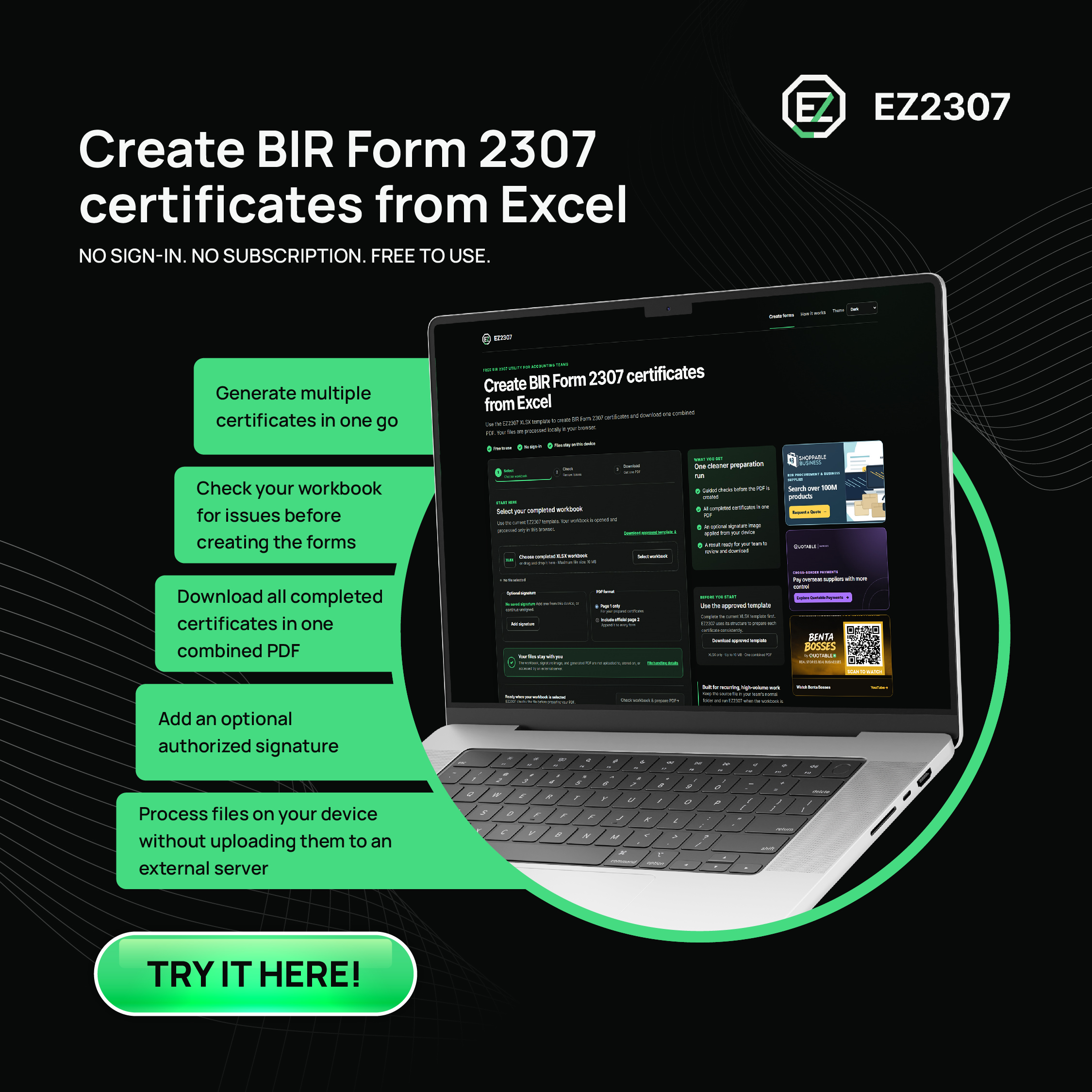
BIR Form 2307 can be prepared from Excel by completing a structured workbook, checking the payor and payee information, and converting the approved data into review-ready certificates. EZ2307 lets accounting teams do this from one XLSX file and download the completed run as one combined PDF.
This guide explains the complete process using EZ2307, a free browser-based utility from Quotable AI. No account is required, and the workbook, optional signature image, and generated PDF are processed locally in your browser instead of being uploaded to an external server.
Create BIR Form 2307 PDFs from Excel
Download the approved XLSX template, complete the workbook, check the run, and download one combined PDF.
Open the Free EZ2307 App
What Is BIR Form 2307?
BIR Form 2307 is the Certificate of Creditable Tax Withheld at Source. A withholding agent issues it to a payee to document income payments and the corresponding creditable tax withheld. The official January 2018 ENCS form includes the covered period, payee information, payor information, nature of income payment, Alphanumeric Tax Code (ATC), income amount, and tax withheld.
You can review the current form directly on the Bureau of Internal Revenue website. Always confirm that your team is using the latest BIR requirements and the correct tax treatment for each payment.
What You Need Before Generating Form 2307
Prepare the source information before opening the generator. A clean workbook reduces corrections later in the process.
How to Generate BIR Form 2307 from Excel
The EZ2307 workflow has three main stages: select the completed workbook, check the run, and download the prepared certificates. The detailed process is below.
Step 1: Download the Approved EZ2307 Template
Open EZ2307 and select Download approved template. The current tool accepts an XLSX workbook created from this template, with a maximum file size of 10 MB.
Using the current template matters because the generator reads a defined workbook structure. Renaming required columns, replacing the template with a differently formatted spreadsheet, or using an outdated version can prevent the file from being checked correctly.
Step 2: Complete the Payor Details
Enter the withholding agent’s information in the designated payor section of the workbook. Complete the registered details exactly as your organization expects them to appear on the certificate.
Do not use placeholder information in a production run. These details form part of the prepared certificate and should be reviewed against your organization’s records.
Step 3: Add the Payee and Payment Rows
Add one row for each payment record required by the template. Complete the payee details and select the appropriate ATC for the nature of the income payment. Enter the income-payment amount and corresponding tax withheld.
The ATC and withholding rate must match the transaction’s actual tax treatment. EZ2307 can check whether the workbook contains the information required by its template, but it does not determine the correct tax treatment for your business. Have your accountant or tax adviser confirm uncertain entries.
Step 4: Review and Save the Workbook
Before selecting the file in EZ2307, review the workbook for missing TINs, incomplete registered names, incorrect periods, blank ATCs, and amounts stored as text. Save the final file as XLSX.
Keep the workbook in your team’s normal folder. You do not need to upload it to a shared EZ2307 workspace because the tool processes the selected file in your browser.
Step 5: Select the Completed XLSX Workbook
Return to EZ2307 and choose the completed workbook from your device. You can select the file through the file picker or drag and drop it into the workbook area.
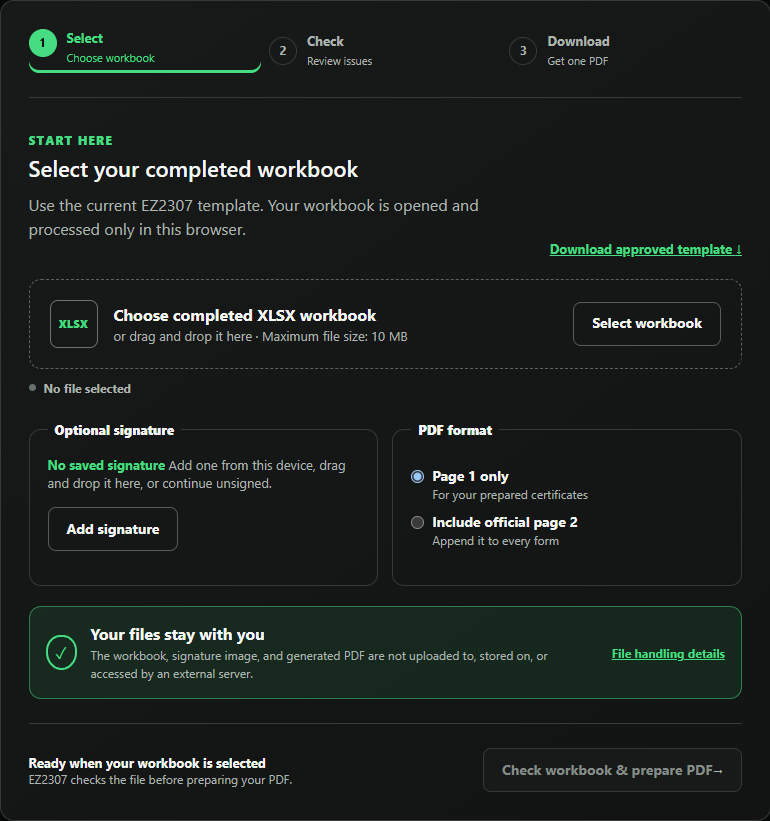
If your organization uses an authorized signature image, add it from your device at this stage. The signature is optional, and the file remains on the device being used.
Step 6: Choose the PDF Format
Choose whether the run should contain Page 1 only or include the official Page 2 with every certificate. Select the option that matches your organization’s approved process.
Step 7: Check the Workbook and Prepare the PDF
Select Check workbook & prepare PDF. EZ2307 reviews the workbook information it needs and identifies issues that should be corrected before the certificates are prepared.
If the check identifies an error, return to the XLSX file, correct the source data, save it, and select the updated workbook again. Fixing the workbook—not the generated certificate—keeps the source record and the final output aligned.
Step 8: Review and Download the Combined PDF
Review the prepared certificates, then download the completed run as one combined PDF. Your browser or device settings determine where the file is saved.
Before distributing or using the forms, check the covered period, payor and payee TINs, registered names, ATCs, income amounts, tax withheld, signature treatment, and page selection. The tool reduces repetitive preparation; it does not replace your team’s tax and compliance review.
Ready to prepare a run?
EZ2307 is free to use, requires no sign-in, and processes the selected files locally in your browser.
Create BIR Form 2307 PDFs
Common BIR Form 2307 Workbook Problems
Using a Different or Outdated Template
A spreadsheet may look correct to a person but still use a structure the generator cannot read. Start each workflow from the current approved EZ2307 template and keep its required structure intact.
Incomplete TIN or Branch Information
Review both payor and payee TIN details before generating the certificates. A missing or incorrect branch code can create a certificate that does not match the registered taxpayer information.
ATC and Amount Mismatches
The nature of the income payment, ATC, withholding rate, income amount, and tax withheld must agree with the underlying transaction. Confirm the applicable treatment rather than copying a code from an unrelated payment.
Numbers Stored as Text
Values pasted from another system can retain text formatting or hidden characters. If the tool flags an amount, inspect the source cell and re-enter it in the expected format.
Skipping the Final Review
A successful PDF generation does not mean every business or tax detail is correct. Assign a reviewer who understands the underlying payments and your organization’s BIR process.
Why Use a Browser-Based BIR Form 2307 Generator?
Preparing certificates one at a time can create repetitive encoding and make corrections harder to control. A structured Excel-to-PDF workflow lets the team correct the source workbook once and regenerate the full run from consistent data.
For more background on the utility, read EZ2307 by Quotable AI for Faster BIR Form 2307 Preparation.
Important Review and Compliance Notes
EZ2307 is an independent productivity tool powered by Quotable AI. It is not affiliated with or endorsed by the Philippine Bureau of Internal Revenue. It helps prepare certificate PDFs from the information supplied in the workbook; it does not file tax returns, remit withholding tax, select the correct ATC, or replace professional tax advice.
The BIR permits withholding agents or their authorized representatives to use electronic signatures on covered certificates subject to applicable requirements. Review Revenue Memorandum Circular No. 29-2021 and obtain professional guidance before adopting an electronic-signature process.
Frequently Asked Questions About Generating BIR Form 2307
Can I generate BIR Form 2307 from Excel?
Yes. With EZ2307, you can complete the approved XLSX template, select the finished workbook, review detected issues, and prepare multiple BIR Form 2307 certificates as one combined PDF. The output should still be reviewed by your organization before use.
Is EZ2307 free to use?
Yes. EZ2307 is a free browser-based utility. It does not require an account, sign-in, or subscription for normal use.
Does EZ2307 upload my workbook or signature?
No. The workbook, optional signature image, and generated PDF are processed locally in your browser and are not uploaded to, stored on, or accessed by an external server.
What Excel format does EZ2307 accept?
EZ2307 accepts completed XLSX workbooks created from the current EZ2307 template. The maximum workbook size shown by the app is 10 MB.
Can EZ2307 generate multiple Form 2307 certificates?
Yes. EZ2307 is designed to prepare a complete run from one approved workbook and download the resulting certificates as one combined PDF.
Can I add a signature to the generated certificates?
EZ2307 supports an optional signature image selected from your device. Use it only when your organization has authorized the signature and confirmed that its process meets applicable BIR requirements.
Does EZ2307 file Form 2307 with the BIR?
No. EZ2307 prepares PDF certificates from the workbook data. It does not file returns, submit certificates to the BIR, remit withholding tax, or replace your organization’s review and compliance process.
Prepare Your Next BIR Form 2307 Run
Start with the current template, complete and review the workbook, then use EZ2307 to check the run and prepare the certificate set. The utility is free, no sign-in is required, and your selected files stay on your device.