Every procurement team has a version of the same frustrating spreadsheet: a mess of tabs tracking supplier quotes, time spent chasing responses, and rough guesses at how much the whole process actually costs. The problem isn't a lack of data. It's that the data lives in too many places to make sense of it quickly. An RFQ savings calculator changes this by turning scattered procurement inputs into a single, defensible number: the dollar amount you're either saving or leaving on the table every quarter. For teams managing anywhere from $1M to $50M in annual spend, that number can shift budget conversations, justify new tooling, and expose hidden inefficiencies that have been quietly compounding for years. But most people use these calculators wrong, or don't use them at all, because nobody walks them through the process. This guide fixes that. We'll break down the inputs that matter, the metrics worth tracking, and how to read your results in a way that actually drives decisions. Whether you're a distributor fielding 200 RFQs a month or a mid-market buyer consolidating suppliers, the math here will ground your next move in reality rather than gut feeling.
The Strategic Value of RFQ Savings Calculators
The real value of an RFQ savings calculator isn't the final number it spits out. It's the conversation that number starts. Most procurement leaders already sense they're overspending on manual processes, but "I think we're wasting money" doesn't survive a budget meeting. A concrete figure like "$47,000 per quarter in avoidable labor costs" does.
These calculators force you to confront the actual cost structure behind your quoting and procurement workflows. They pull together variables you might track separately: headcount, cycle times, error rates, supplier response delays. When you combine those inputs into a single model, patterns emerge that aren't visible in isolation. Maybe your team spends 11 hours per week just re-keying quote data into your ERP. Maybe your average RFQ cycle takes 9 days when it should take 3. A calculator won't fix those problems, but it will quantify them clearly enough to prioritize which ones to fix first.
Moving Beyond Manual Procurement Workflows
If your team still manages RFQs through email chains, shared drives, and phone calls, you're operating in a mode that worked fine at $2M in annual spend but breaks down somewhere around $5M to $10M. That's the threshold where manual workflows stop being "scrappy" and start being expensive. One client we worked with, a building materials distributor doing about $8M annually, discovered they were spending roughly 6.5 hours of labor per RFQ cycle. Multiply that across 80 RFQs a month and you're looking at over 500 hours of staff time per month just on quoting and follow-up.
Manual workflows also introduce error risk that compounds over time. A mistyped unit price on a quote might seem minor, but if it flows into a purchase order and then an invoice, you've created a three-way match problem that takes even more time to resolve. Worse, if the error isn't caught until payment, you're dealing with disputes, credit memos, and strained supplier relationships. The calculator helps you estimate the financial impact of these downstream errors by factoring in rework rates and dispute resolution costs.
The shift away from manual processes isn't about chasing automation for its own sake. It's about recognizing that your team's time has a dollar value, and spending it on data entry instead of supplier negotiation or strategic sourcing is a measurable loss.
Quantifying Efficiency for SMEs and Mid-Market Teams
Small and mid-market companies often assume that savings calculators are designed for enterprise procurement departments with dedicated analysts. That's backwards. Larger organizations already have visibility into their process costs because they've invested in procurement suites and reporting infrastructure. It's the $3M-to-$30M company, the one running procurement through QuickBooks and a shared inbox, that stands to gain the most insight from a structured calculation.
For SMEs, the calculator often reveals that a single procurement coordinator is absorbing what should be two or three distinct roles: sourcing, quoting, order management, and payment follow-up. When you map out the hours spent on each function and assign a loaded labor cost, the total frequently surprises leadership. We've seen cases where the "cost of procurement" was assumed to be one person's salary, when the real cost, including time borrowed from sales, finance, and operations, was nearly three times that.
Mid-market teams face a different version of this problem. They often have enough volume to justify better tooling but lack the data to build a business case. A savings calculator bridges that gap by translating operational pain points into financial terms that a CFO can evaluate alongside other capital requests.
Key Inputs for Accurate ROI Projections
The quality of your savings estimate depends entirely on the quality of your inputs. Garbage in, garbage out applies here more than anywhere. Before you open any calculator, spend time gathering real numbers from your team rather than relying on estimates or industry averages. The closer your inputs match your actual operations, the more useful the output will be.
The core inputs fall into a few categories: labor costs, cycle times, transaction volumes, and error or rework rates. Some of these you'll know off the top of your head. Others will require a week or two of tracking. Don't skip the tracking step. The difference between "we process about 50 RFQs a month" and "we processed 67 RFQs last month, 54 the month before" can swing your savings estimate by tens of thousands of dollars annually.
Estimating Labor Costs and Administrative Overhead
Start with your people. List everyone who touches the RFQ process, from the person who sends out the initial request to the person who reconciles the final payment. For each person, estimate the percentage of their weekly hours spent on RFQ-related tasks. Then multiply by their fully loaded cost: salary plus benefits, payroll taxes, and any allocated overhead like office space or software licenses.
Add these up and you'll get your baseline annual labor cost for the RFQ lifecycle. Most SMEs running 50-100 RFQs per month land somewhere between $90,000 and $180,000 in annual labor tied to quoting and procurement. That number alone often justifies a serious look at automation.
Tracking Quote-to-Payment Cycle Times
Cycle time is the second critical input, and it's the one most teams underestimate. Your quote-to-payment cycle starts the moment a buyer identifies a need and ends when the supplier receives payment. For many B2B distributors, this cycle runs 15 to 45 days, with most of the delay concentrated in two spots: waiting for supplier responses and waiting for payment after invoicing.
Track your last 20-30 transactions and record the dates for each stage: RFQ sent, quotes received, quote selected, PO issued, goods delivered, invoice sent, payment received. You'll likely find that the "waiting" stages account for 60-70% of total cycle time. That's dead time where your cash is locked up and your team is burning hours on follow-ups.
Automation can reduce manual time per RFQ by as much as 75%, which translates directly into shorter cycles and faster cash conversion. When you plug your actual cycle times into a savings calculator, you can model what a 50% or 75% reduction in processing time would mean for your working capital position.
Analyzing the Impact of Automated Data Orchestration
Data orchestration is a term that gets thrown around loosely, but in the context of B2B procurement it means something specific: connecting the data that flows between quotes, purchase orders, invoices, and payments so that each document feeds the next automatically. When these documents live in separate systems, or worse, in email attachments, someone has to manually transfer data between them. That's where errors creep in and time gets wasted.
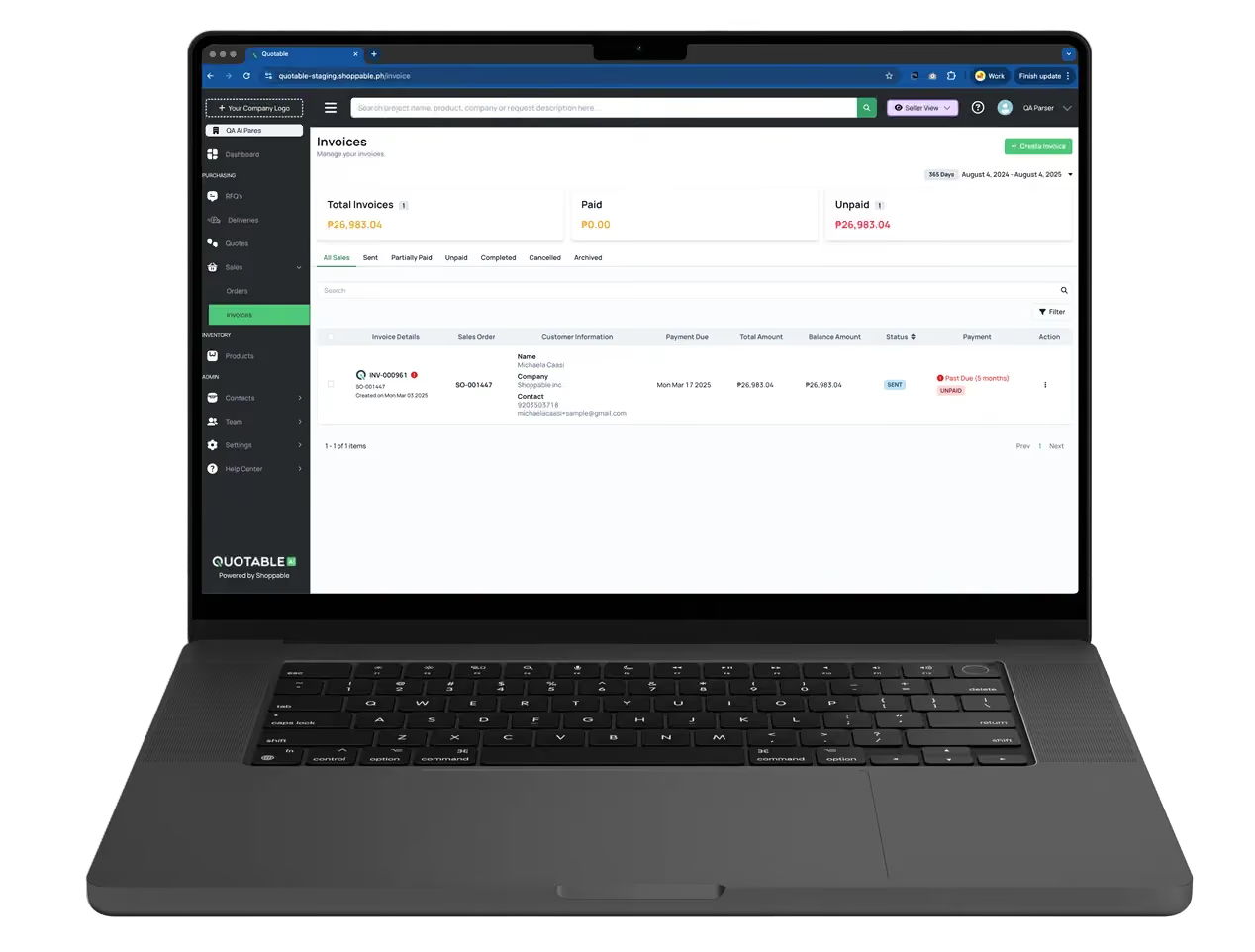
A platform like Quotable AI treats the quote as a live transaction state that carries data forward through the entire cycle. The quote becomes the PO becomes the invoice becomes the payment record, with each transition handled by an AI parser that extracts and structures the relevant fields. This eliminates the re-keying step that eats up so many hours and introduces so many errors in manual workflows.
Cost Reductions in Construction and Manufacturing
Construction and manufacturing companies deal with some of the most complex RFQ scenarios: multi-line item quotes with variable specs, tiered pricing, long lead times, and materials that fluctuate in cost weekly. A general contractor sourcing rebar, concrete, and structural steel for a single project might issue 15-20 RFQs and receive 40-60 quotes in return. Processing that volume manually, comparing line items across suppliers, checking availability, and verifying pricing against budgeted cost codes, can consume a project manager's entire week.
In these industries, the savings calculator needs to account for project-level costs, not just organizational overhead. If a delayed quote response pushes your procurement timeline back by three days, and that delay cascades into a schedule slip, the cost isn't just the labor to chase the quote. It's the penalty clause in your construction contract, the idle crew costs, and the reputational damage with the general contractor or owner.
We've seen construction procurement teams reduce their quote comparison time from 4-5 hours per RFQ cycle to under 45 minutes by centralizing supplier responses in a single platform where quotes arrive in structured formats. When suppliers can respond through a secure link without creating accounts or adopting new software, response rates go up and cycle times drop. That's a measurable input for your calculator.
The Financial Benefits of Integrated Quoting and Payments
Separating your quoting system from your payment system creates a gap that costs real money. When a quote is approved and a PO is issued, but the invoice has to be created separately in an accounting system, you've introduced a manual handoff that adds 1-3 days to the cycle and creates opportunities for discrepancies. Those discrepancies lead to payment disputes, which lead to delayed collections, which hurt your cash flow.
Integrated quoting and payments close this gap. When the invoice is generated directly from the approved quote, the line items, pricing, and terms are already verified. The buyer can pay through embedded payment methods: bank wire, ACH, credit card, or e-wallet, without the back-and-forth of payment verification. For a distributor processing 100 invoices a month, eliminating even one day of payment delay per invoice can improve cash flow by $50,000-$200,000 depending on average invoice size.
Your savings calculator should include a field for average days sales outstanding (DSO) and the cost of capital tied up in receivables. If your DSO is 38 days and you could bring it down to 28 days through integrated payments, that's 10 days of freed-up working capital. At a 6% cost of capital on $500,000 in monthly receivables, that's roughly $8,200 per year in financing costs avoided. Small numbers individually, but they compound fast across a growing business.
Step-by-Step Guide to Calculating Your Savings
Here's a practical walkthrough for running your own RFQ savings calculation. You don't need specialized software for this: a spreadsheet works fine as a starting point.
- Count your monthly RFQ volume. Pull the actual number from the last three months and average them. Don't guess.
- Calculate your per-RFQ labor cost. Take the total annual labor cost you estimated earlier and divide it by your annual RFQ volume. If you're spending $150,000/year on labor across 900 RFQs, your per-RFQ cost is about $167.
- Estimate your error and rework rate. What percentage of quotes, POs, or invoices require correction after initial processing? Industry benchmarks from APQC suggest that organizations with manual processes see error rates between 2% and 5%. Each error typically costs $50-$150 to resolve when you factor in staff time, supplier communication, and system corrections.
- Measure your average cycle time. Use the stage-by-stage tracking method described earlier. Record the total days from RFQ issuance to payment receipt.
- Apply reduction percentages. Based on the level of automation you're considering, estimate how much each metric would improve. Conservative estimates: 40-50% reduction in labor time, 30-40% reduction in cycle time, 60-70% reduction in errors.
- Calculate the delta. Multiply your current costs by the reduction percentages to get your projected savings. For example: $167 per RFQ x 50% reduction x 900 annual RFQs = $75,150 in annual labor savings alone.
- Add working capital benefits. If your cycle time drops by 10 days, calculate the cash flow improvement based on your average monthly receivables and cost of capital.
- Sum it up. Combine labor savings, error reduction savings, and working capital benefits for your total projected annual savings.
The whole exercise should take 2-3 hours if you have your data ready. If it takes longer, that's usually a sign that your data is scattered across too many systems, which is itself a data point worth noting.
Interpreting Results to Optimize B2B Trade Operations
A number on a spreadsheet means nothing if you don't act on it. The savings estimate is a starting point for operational decisions, not an end in itself. The most useful thing you can do with your results is break them down by category and identify which improvements deliver the highest return relative to their implementation difficulty.
If 60% of your projected savings come from labor reduction and only 15% from error elimination, that tells you where to focus first. It also tells you what kind of solution to prioritize: a tool that automates data entry and document processing will deliver more value than one that only improves supplier communication, even if the latter sounds more appealing.
Identifying Bottlenecks in Procurement and Fulfillment
Your calculator results will point to specific bottlenecks if you read them carefully. A high per-RFQ labor cost suggests too much manual handling in the quoting phase. A long cycle time with most delay concentrated after invoice issuance suggests a payment or collections bottleneck. A high error rate suggests data integrity problems, likely caused by manual re-keying between systems.
Red flags to watch for in your results:
- Per-RFQ cost above $200: your process has significant manual overhead that doesn't scale
- Cycle time above 30 days: you're likely losing deals to faster competitors or absorbing unnecessary financing costs
- Error rate above 3%: your three-way match process is probably generating disputes that consume finance team hours
- More than 4 people touching each RFQ: role overlap and handoff delays are inflating your costs
Each of these symptoms points to a specific operational fix. The calculator helps you prioritize which fix to pursue first based on financial impact rather than gut instinct.
Scaling Throughput with Quotable AI Solutions
Once you've identified your bottlenecks, the question becomes whether to fix them with process changes, additional headcount, or technology. For most SMEs and mid-market companies, the answer is technology, but right-sized technology. You don't need an enterprise procurement suite that takes 6 months to implement and costs $200,000. You need a platform that addresses your specific pain points and integrates with the systems you already use.
Quotable AI was built for exactly this scenario. It connects quoting, procurement, invoicing, and payments into a single workflow, with an AI parser that automatically extracts and structures data from business documents. If your calculator shows that 40% of your labor cost comes from re-keying data between systems, that's the exact problem this kind of tool solves. The platform also integrates with existing ERP and accounting systems, so you're not ripping out infrastructure to get the benefit.
For teams processing 50-200 RFQs per month, the throughput gains are significant. Instead of adding a second procurement coordinator at $65,000/year to handle growing volume, you can automate the repetitive tasks and let your existing team focus on supplier relationships and strategic sourcing. That's the kind of decision your savings calculation should be driving.
Making Your Savings Estimate Work for You
The best RFQ savings calculator is one you actually use, and use honestly. Resist the temptation to plug in optimistic numbers to build a case for a tool you've already decided to buy. Use real data, conservative reduction estimates, and a clear-eyed view of your current process costs. The goal isn't to produce a big number. It's to produce a trustworthy number that your CFO, your ops lead, and your procurement team can all stand behind.
If your calculation shows $50,000 or more in annual savings, and you're running more than 30-40 RFQs per month, you've likely hit the threshold where automation pays for itself within the first year. Start with a focused pilot: automate your highest-volume RFQ category, measure the results against your projections, and expand from there. Hard-won lessons from founder-to-founder: the companies that get the most value from these tools are the ones that treat the savings estimate as a living document, revisiting it quarterly as their volume and processes evolve. If you're ready to see what your own numbers look like, run a savings estimate through Quotable AI's platform and compare it against the manual cost structure you've been carrying.