Every supplier knows the feeling: an RFQ lands in your inbox, and the clock starts ticking. Your team scrambles to pull pricing from one spreadsheet, check inventory in another system, loop in a manager for approval, and then format everything into a presentable quote. By the time you hit send, hours or even days have passed. Meanwhile, your competitor fired off a response in under an hour and already has the buyer's attention. The reality is that deals in B2B trade are often won or lost before the "best" quote is even submitted. Speed is the differentiator, and most small to mid-market companies are losing on speed every single day.
We've seen this pattern repeat across construction suppliers, IT distributors, logistics providers, and manufacturers. The companies doing $1M to $30M in annual sales feel it most acutely: they're big enough to receive a steady stream of RFQs but still too reliant on manual processes to respond quickly. If you want to respond to RFQs faster, you need more than hustle. You need a system. This piece breaks down five concrete steps to accelerate your RFQ response time, win more deals, and stop leaving revenue on the table.
The High Cost of Slow Response Times in B2B Trade
A slow quote doesn't just delay a sale. It kills it. Procurement teams often send the same RFQ to three, five, or even ten suppliers simultaneously. The buyer isn't waiting around for your carefully polished proposal to arrive next Tuesday. They're comparing whoever responded by end of day, and industry data suggests that 35 to 50 percent of deals go to the vendor who responds first. That stat alone should make every sales manager reconsider how they allocate their team's time.
The financial damage compounds quickly. Let's say your average deal size is $15,000 and you lose two deals per month because your response was too slow. That's $360,000 in annual revenue you never had a real shot at winning. For a $5M distributor, that's over 7% of total revenue evaporating because of process friction, not product quality or pricing.
There's also the hidden cost of demoralization. Your sales reps know they're losing winnable deals. They spend hours assembling quotes that go nowhere because the buyer already committed to a faster competitor. Over time, this erodes confidence and creates a vicious cycle where reps invest less effort in each response, further reducing win rates.
One distributor we worked with described their old process bluntly: "We were spending 80% of our time on admin and 20% on actually selling." That ratio is backwards, and it's shockingly common among B2B companies still relying on email threads, shared drives, and copy-paste quoting.
Why the Quote is the Most Critical Transaction State
Most business software treats the quote as an afterthought, a PDF that gets generated after the "real" work happens in a CRM or ERP. But for B2B distributors and suppliers, the quote is where the transaction actually begins. It's the first commitment a seller makes to a buyer: here's what we can deliver, at this price, by this date.
Think of the quote as a live transaction state rather than a static document. It contains pricing, product specifications, lead times, payment terms, and often custom configurations. Every piece of data in that quote flows downstream into purchase orders, invoices, shipment records, and payment reconciliation. If the quote is wrong, everything that follows is wrong too.
This is why treating quoting as a manual, ad-hoc process creates so much downstream pain. A typo in a unit price cascades into an incorrect invoice, which triggers a dispute, which delays payment by 30 days. A missing lead time causes a procurement team to plan around the wrong delivery window, damaging your reputation even if you eventually fulfill the order. The quote isn't just a sales tool. It's the foundation of the entire order-to-cash cycle, and speeding it up means speeding up everything that follows.
Step 1: Centralize Data with Automated Quote Generation Software
The single biggest bottleneck in RFQ response time isn't your sales team's work ethic. It's the fact that the data they need lives in six different places. Product catalogs sit in one system. Pricing tiers are buried in spreadsheets that only one person maintains. Inventory levels require logging into a warehouse management tool. Customer-specific terms and discount structures exist in someone's email history.
When a rep needs to assemble a quote, they're essentially playing detective: hunting down fragments of information across disconnected systems and manually stitching them together. This process typically takes 30 to 60 minutes per quote for simple requests and several hours for complex, multi-line RFQs. Companies using automated quote generation software respond three times faster, with some reducing quote time from 30 minutes to just 5 minutes.
Centralizing your data means creating a single source of truth where product information, pricing rules, inventory availability, and customer records all live together. When an RFQ arrives, your team (or your system) can pull from one place instead of five.
Moving Beyond Manual Data Entry and Spreadsheets
Spreadsheets are where quoting speed goes to die. We've seen companies with 500-line product catalogs managed entirely in Excel, with pricing updated quarterly by one operations manager who also handles purchasing. When that person is on vacation, quotes slow to a crawl. When they make an error in a formula, the entire team sends out wrong pricing for weeks.
The first practical step is migrating your product and pricing data into a structured system that multiple team members can access and update. This doesn't necessarily mean a full ERP overhaul. Many mid-market companies find success with platforms that sit on top of their existing infrastructure and pull data together into a unified quoting layer.
Common mistakes at this stage include trying to centralize everything at once and getting overwhelmed. Start with your top 50 products by revenue. Get their pricing, descriptions, lead times, and inventory feeds accurate in one system. Then expand from there. The 80/20 rule applies heavily: your top 20% of SKUs probably account for 80% of your quote volume.
Another overlooked issue is version control. If your pricing lives in a spreadsheet that three people can edit, you'll inevitably have conflicting versions. A centralized system with role-based access and change logs eliminates this entirely.
Leveraging AI to Orchestrate Global Trade Data
Once your data is centralized, AI can do something humans simply can't: parse, cross-reference, and structure information from incoming business documents in seconds. An RFQ arrives as a PDF attachment. A purchase order comes in a different format from each customer. Your suppliers send quotes with varying layouts and terminology.
Quotable AI's Universal AI Parser, for example, can automatically extract and structure data from quotes, invoices, purchase orders, and bills of materials. Instead of a rep manually re-typing line items from a buyer's RFQ into your quoting system, the AI reads the document, maps the data to your product catalog, and pre-populates a draft quote. This alone can cut the initial data entry step from 20 minutes to under 2 minutes.
The orchestration piece matters too. For distributors sourcing from global suppliers, responding to an RFQ often requires checking pricing and availability across multiple vendors. AI can pull in supplier data, compare landed costs, and flag the best sourcing option, all before your rep even opens the RFQ. This kind of data orchestration is what separates a 5-minute response from a 5-hour one.
Step 2: Implementing Collaborative Quoting for Sales Teams
Here's a scenario that plays out daily at most B2B distributors: a sales rep receives an RFQ, drafts a quote, then emails it to their manager for approval. The manager is in meetings until 3 PM. By the time they review it, they have questions about a specific line item's margin, so they forward it to finance. Finance responds the next morning with a revised discount structure. The rep updates the quote and sends it to the buyer 26 hours after the RFQ arrived.
That 26-hour delay had nothing to do with the complexity of the request. It was entirely caused by sequential, siloed communication. Collaborative quoting for sales teams eliminates this by putting everyone who touches a quote into the same workspace, simultaneously.
Think of it like Google Docs for quoting. Instead of emailing a spreadsheet back and forth, your rep, their manager, and the finance team can all view and edit the same quote in real time. Comments, approvals, and revisions happen in one place. The quote moves through its approval workflow in minutes instead of days.
Connecting Procurement, Finance, and Sales Workflows
The collaboration challenge gets more complex when quoting requires input from procurement. If a customer requests a product you don't stock, your sales team needs procurement to source it from a supplier before they can quote a price and lead time. In many companies, this triggers a separate internal process: procurement sends their own RFQ to suppliers, waits for responses, then relays the information back to sales.
This internal RFQ cycle can add days to your external response time. The fix is connecting these workflows so that when a sales rep flags a line item that needs sourcing, procurement is notified instantly within the same system. Supplier responses feed directly back into the quote draft, and the rep can finalize and send without ever leaving the platform.
Quotable AI addresses this by allowing suppliers to respond to RFQs through a secure link without creating accounts or adopting new software. This means your procurement team can blast an RFQ to five suppliers, and those suppliers can submit structured responses that flow directly into your quoting workflow. No email chains. No re-keying data. No waiting for someone to compile responses into a comparison spreadsheet.
Finance integration is equally critical. If every quote over $10,000 requires finance approval, that approval step needs to be embedded in the quoting workflow, not handled through a separate email thread. Automated approval rules (anything under $5,000 auto-approves, $5K to $20K needs one sign-off, over $20K needs two) keep quotes moving without sacrificing controls.
Step 3: Standardize Pricing and Inventory Logic
Inconsistent pricing is one of the most common and most expensive problems in B2B quoting. We've seen companies where two sales reps quote the same product to the same customer at different prices because they're working from different versions of a pricing sheet. This doesn't just confuse buyers. It erodes trust and creates margin leakage that's nearly impossible to track.
Standardizing your pricing logic means defining clear rules that your system enforces automatically. This includes base pricing by product, customer-tier discounts, volume breaks, regional adjustments, and minimum margin thresholds. When a rep builds a quote, the system applies these rules in real time. If a rep tries to quote below the minimum margin, the system flags it for approval rather than letting it go out the door.
Inventory logic works the same way. If a customer requests 500 units and you only have 200 in stock, your system should surface that information during quoting, not after the order is placed. Even better, it should automatically check supplier availability and suggest an alternative fulfillment plan: 200 units from stock shipping in 3 days, 300 units from your supplier shipping in 10 days.
One client we worked with discovered they were losing roughly $8,000 per month in margin erosion because reps were manually applying discounts without visibility into the approved pricing structure. After implementing standardized pricing rules in their quoting system, margin consistency improved by 12% within the first quarter.
The key here is that standardization doesn't mean rigidity. Your pricing rules should accommodate the complexity of your business, including contract-specific pricing, project-based quotes, and negotiated terms. The goal is to encode your pricing intelligence into the system so that your reps don't have to reinvent the wheel with every quote. They focus on the customer relationship while the system handles the math.
Red flags that your pricing and inventory logic needs standardization: reps frequently ask managers "what price should I use?", customers receive conflicting quotes from different reps, you discover margin errors only during monthly reconciliation, and fulfillment issues arise because quoted lead times didn't reflect actual inventory.
Step 4: Integrate Payments and Invoicing into the Quote Flow
Most B2B companies treat quoting, invoicing, and payment collection as three separate processes managed by three separate teams using three separate tools. The quote lives in a spreadsheet or quoting tool. The invoice gets created in an accounting system. Payment collection happens through bank transfers, checks, or a payment portal. Each handoff introduces delays, errors, and friction.
Here's what that looks like in practice: your sales rep closes a deal and hands the quote to the billing team. Billing re-enters the line items into the accounting system (sometimes incorrectly). An invoice goes out, but the payment terms don't match what the rep quoted because the billing team used the default template. The customer disputes the invoice. Two weeks pass before it's resolved. Payment arrives 60 days after the original quote instead of 30.
Organizations that reduce time spent on administrative tasks see win rates 15 to 25 percent higher because their teams spend more time selling and less time fixing process breakdowns. Integrating payments and invoicing directly into your quote workflow eliminates the handoffs that cause these problems.
Reducing Friction from Quote-to-Payment
The ideal flow looks like this: a quote is accepted, and the system automatically generates an invoice using the exact line items, pricing, and terms from the approved quote. The buyer receives that invoice with embedded payment options (bank wire, ACH, credit card, or e-wallet) and can pay immediately through a secure link. No separate login required. No phone call to your AR team asking "where do I send the wire?"
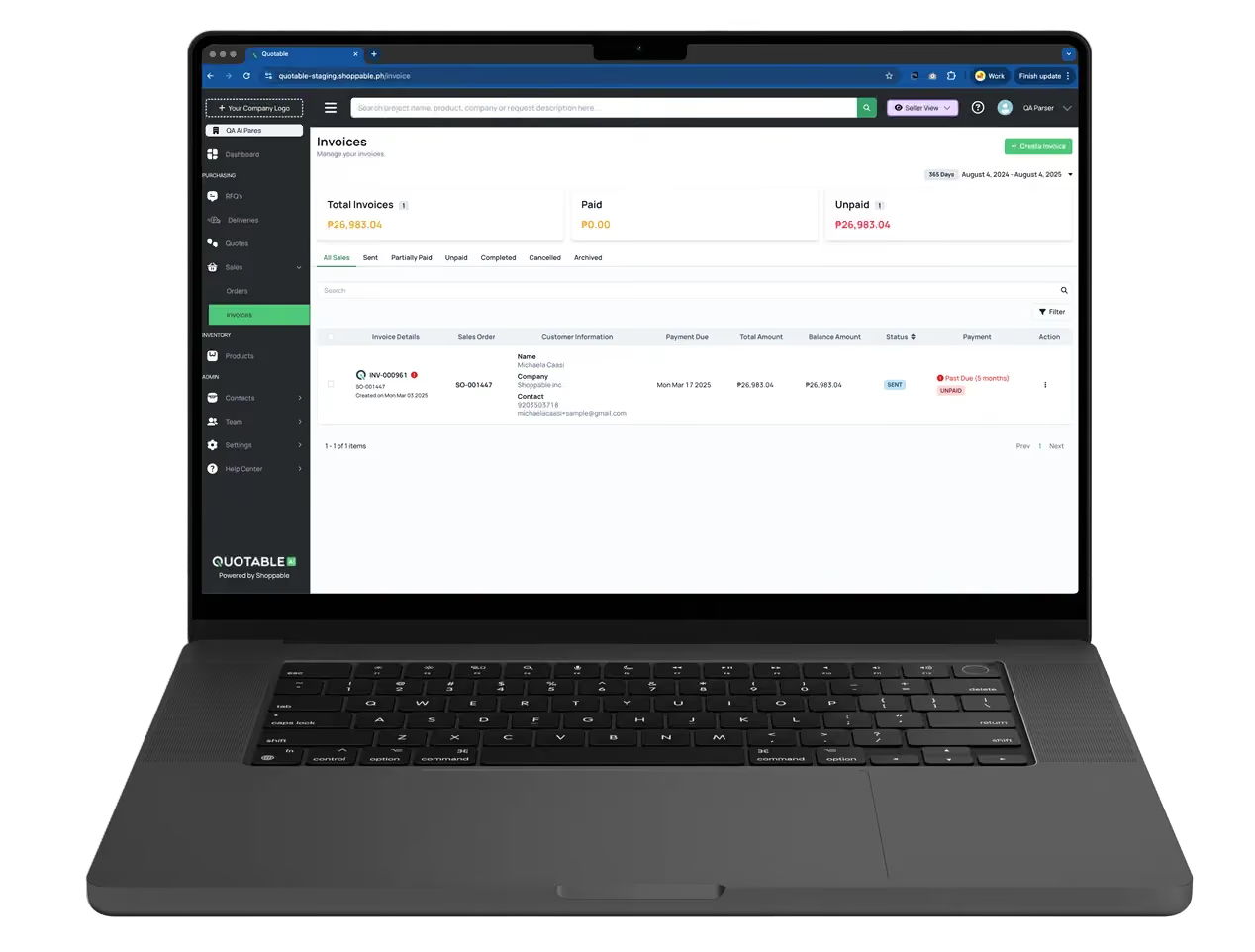
Quotable AI was built around this exact principle. Because the quote, invoice, and payment all live in one system, there's no data re-entry between stages. The quote converts to an invoice with one click, and the buyer pays through their preferred method directly from the invoice link. Payment confirmation flows back into the system automatically, so your finance team has real-time visibility into cash flow without manually reconciling bank statements.
For suppliers in the $1M to $30M range, this integration has an outsized impact. You probably don't have a dedicated AR team chasing payments. It's likely your office manager or controller doing collections on top of their other responsibilities. Automating the invoice-to-payment link means fewer past-due invoices, less time on the phone chasing checks, and faster cash conversion.
If/then scenario: say you quote a $25,000 order with Net 30 terms. Without integrated payments, the buyer receives a PDF invoice via email, has to figure out your banking details, initiate a wire transfer, and then email you a remittance advice. That process alone can add 5 to 10 days of delay. With embedded payments, the buyer clicks a link and pays in 2 minutes. Your cash arrives 28 days sooner on average.
Financial institutions implementing process automation achieve an average ROI of 250 percent within the first 24 months, and mid-market B2B companies see similar returns when they eliminate the manual steps between quoting and getting paid.
Step 5: Automate Follow-ups and Status Tracking
You've sent the quote. Now what? In most B2B companies, the answer is: the rep makes a mental note to follow up in a few days, gets busy with other requests, and forgets. Or they follow up once, get no response, and move on. Meanwhile, the buyer was genuinely interested but got pulled into another project and simply needed a nudge.
Poor follow-up is one of the most overlooked reasons for low quote-to-close conversion rates. Studies consistently show that most deals require multiple touchpoints before a buyer commits, yet most reps give up after one or two attempts. Automating follow-ups ensures that every quote gets the appropriate number of touches without relying on your team's memory.
A practical follow-up sequence for B2B quotes might look like this:
- Immediate confirmation email when the quote is sent, including a direct link for the buyer to review and accept
- Day 2: a brief check-in asking if the buyer has questions or needs any adjustments
- Day 5: a reminder that the quote is still valid, with a note about any time-sensitive pricing or inventory holds
- Day 10: a final follow-up offering to revise the quote if requirements have changed
Each of these touchpoints should be automated but personalized. The buyer should feel like they're hearing from their rep, not from a robot. Using the buyer's name, referencing specific line items from the quote, and including a one-click link to accept or request changes makes automated follow-ups feel human.
Status tracking is the other half of this equation. Your team needs real-time visibility into where every quote stands: sent, viewed, accepted, expired, or declined. Without this, you're flying blind. A rep might follow up on a quote the buyer already accepted through a different channel, creating confusion. Or they might not realize a high-value quote has been sitting unopened for a week.
Dashboard-level visibility across all active quotes lets sales managers spot bottlenecks instantly. If 40% of your quotes are expiring without a response, that's a signal your follow-up cadence needs work. If quotes are being viewed but not accepted, your pricing or terms might need adjustment. This kind of data-driven insight is impossible when your quotes live in individual email inboxes.
AI-powered platforms can reduce response times by 50 to 70 percent compared to manual processes, and the follow-up and tracking stage is where much of that time savings materializes. Instead of reps spending 30 minutes a day reviewing their quote pipeline and manually sending follow-ups, the system handles it and surfaces only the quotes that need human attention.
Achieving 10X Faster RFQ Turnaround for SME Suppliers
The difference between a 24-hour RFQ response and a 2-hour response isn't about working harder. It's about removing the friction that slows your team down at every stage. Centralize your data so reps aren't playing detective. Enable real-time collaboration so quotes don't get stuck in approval queues. Standardize pricing and inventory logic so the math is done before the rep even opens the RFQ. Connect payments and invoicing to the quote so there's no gap between winning a deal and getting paid. And automate follow-ups so no opportunity slips through the cracks.
There's an uncomfortable truth about RFQ responses that most sales teams don't want to hear: that perfectly crafted quote you spent three days refining likely lost to a competitor who responded in three hours with a good-enough proposal. Speed wins. Precision matters, but only if it arrives on time.
For SME suppliers and distributors doing $1M to $30M in revenue, these five steps represent a path from reactive, manual quoting to a system that works as fast as your buyers expect. Quotable AI was built specifically for this transition, treating the quote as the starting point of the entire transaction and connecting every step from RFQ to payment in one continuous workflow. If your current process involves more than 15 minutes per quote, you're leaving money on the table. Start with Step 1, measure your baseline response time, and work through each step systematically. The companies that figure this out first will own their markets. The rest will keep wondering why they're always second place.